MySecureDeal is currently available as an Android APK. Follow the steps below to install the app safely.
Only download the MySecureDeal APK from mysecuredeal.com. Because we're not yet listed on Google Play, Android will show a couple of standard warnings during setup — that's expected, and each step below explains exactly what you'll see and why.
Tap the Download App button on the MySecureDeal website.
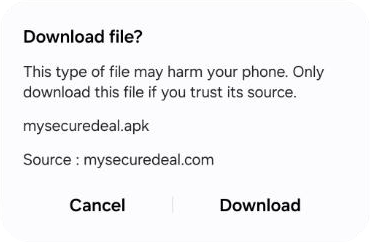
When your browser displays the warning below, this is a standard Android warning for APK files downloaded directly from a website — tap Download to continue.
After the APK finishes downloading, open the downloaded file.
Google Play Protect may display the warning below. Because MySecureDeal is currently being distributed directly from mysecuredeal.com rather than Google Play, this warning may appear.
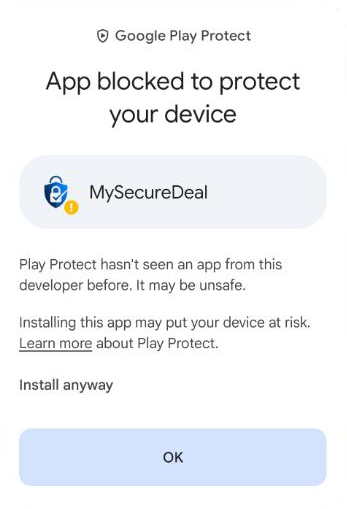
If you downloaded the APK directly from mysecuredeal.com and want to continue, tap Install anyway.
Once installation is complete, tap Open to launch MySecureDeal.
You can now use the MySecureDeal app.
Only download the MySecureDeal APK from mysecuredeal.com.
Do not download or install MySecureDeal APK files from third-party websites or unknown sources.